Cyber News
Fake ChatGPT, Gemini, and Claude Ad Portals Capture Credentials and MFA Codes
Category: Phishing / Artificial Intelligence
12 min read


Severity: High CVSS: 8.7 Affected Products: Citrix NetScaler ADC & NetScaler Gateway Attack Type: Denial of Service / Possible Remote Code Execution
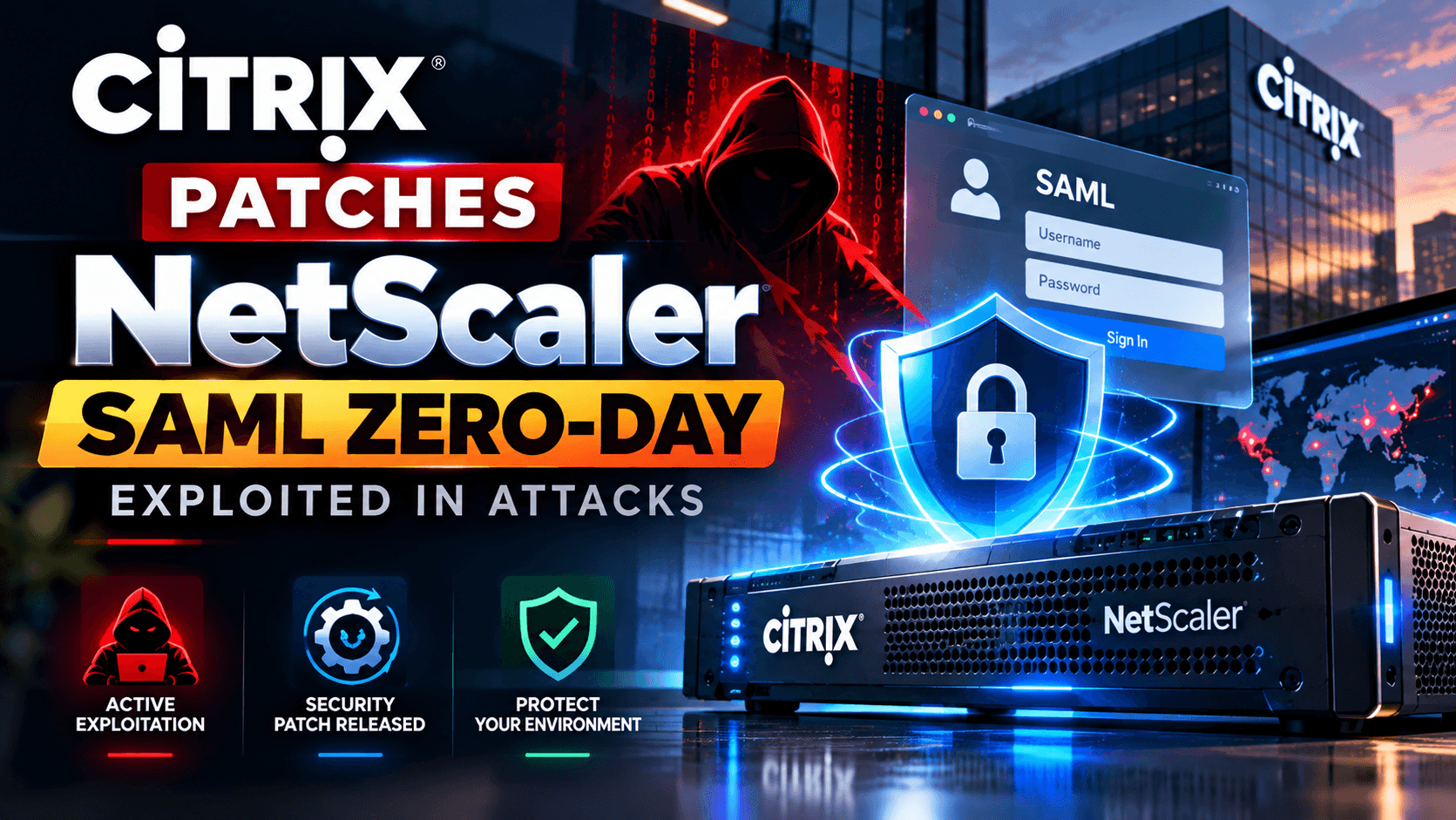
Citrix has confirmed a new zero-day vulnerability affecting NetScaler ADC and NetScaler Gateway appliances.
The vulnerability is tracked as CVE-2026-88779 and is already being exploited in the wild.
The concerning part is that some affected appliances had already been updated to protect against two earlier NetScaler zero-days.
Some organizations patched their NetScaler appliances — and attackers found another vulnerability just days later.
Citrix says the vulnerability can cause the NetScaler service to crash and become unavailable.
Security researchers, however, are investigating evidence that the vulnerability may potentially allow remote code execution (RCE) in some situations.
NetScaler appliances are commonly placed at the internet edge and are used for:
Remote access
VPN services
Application delivery
Load balancing
Authentication
SAML-based authentication
Because these systems are often exposed to the internet, vulnerabilities in NetScaler can become attractive targets for attackers.
The new vulnerability is especially important because exploitation has already been observed, meaning this is not just a theoretical vulnerability.
CVE-2026-88779 is a memory overflow vulnerability affecting certain NetScaler configurations.
Citrix currently describes the vulnerability primarily as a Denial-of-Service (DoS) issue.
An attacker may be able to trigger the vulnerability repeatedly, causing the NetScaler service to crash.
If the condition continues, the appliance may become unavailable.
Citrix says:
Targeted attacks have been observed.
The attacks can cause Denial of Service.
Repeated exploitation can keep the service unavailable.
No impact to customer data integrity has been identified.
However, security researchers have reported activity that raises concerns about possible code execution.
Therefore, organizations should treat this as a high-priority security issue.
The vulnerability affects NetScaler ADC and NetScaler Gateway deployments that meet the required SAML configuration conditions.
Check whether your appliance uses either of these configurations:
If either configuration is present, the appliance should be considered potentially affected until it is updated according to Citrix's security guidance.
This vulnerability appeared shortly after Citrix addressed two other actively exploited NetScaler vulnerabilities:
CVE-2026-88771
CVE-2026-88772
Some organizations had already upgraded their appliances to address those vulnerabilities.
Unfortunately, those updates did not protect against CVE-2026-88779.
Citrix has therefore instructed organizations that meet the affected configuration requirements to upgrade again.
Security researchers and NetScaler administrators reported unusual behavior on recently patched appliances.
Observed activity included:
Unexpected NetScaler reboots
Repeated nsaaad crashes
Pitboss restart activity
Crafted authentication requests
Suspicious commands inside authentication usernames
Attempts to download and execute files
Activity from multiple external IP addresses
One investigation identified authentication requests containing shell commands that attempted to:
Download a payload
Save it as /v
Execute the downloaded file
The reported source IP associated with this activity was:
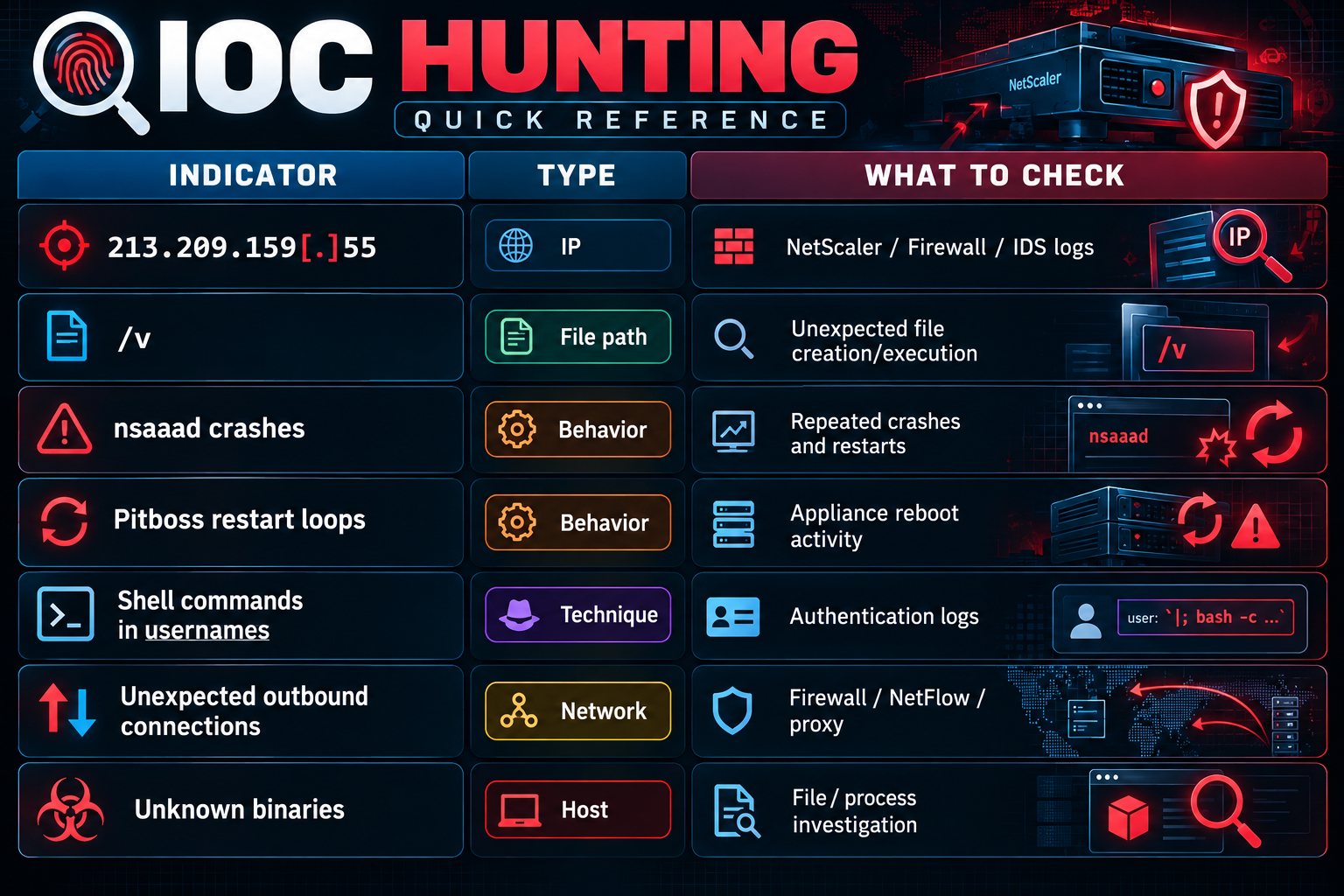
213.209.159[.]55⚠️ Important: Seeing this IP in logs alone does not prove compromise. Treat it as an IOC requiring investigation.
Security researcher Kevin Beaumont reported that one of his patched honeypots appeared to be running a downloaded malware binary after receiving exploitation traffic.
This is significant because it suggests the activity may go beyond simply crashing the appliance.
Researchers are therefore investigating whether CVE-2026-88779 can be used for remote code execution.
At the time of this bulletin, organizations should treat the RCE possibility as a serious risk, but distinguish it from Citrix's currently published classification of the vulnerability.
Observed behavior: Attempted payload download/execution through crafted authentication requests.
Do not automatically classify an IP as malicious solely because it appears in this bulletin.
Validate it against:
NetScaler logs
Firewall logs
IDS/IPS
EDR
Proxy logs
DNS logs
Threat intelligence feeds
One reported attack attempted to create:
/vand execute it.
Look for unexpected files or processes associated with this path.
Investigate authentication requests containing:
Shell commands
Command separators
Download commands
curl
wget
Shell execution
Base64-encoded commands
Unexpected URLs
Commands embedded inside usernames
Example pattern to investigate:
username=<shell command>Do not search only for an exact string. Attackers can easily modify commands.
Citrix has released emergency updates addressing CVE-2026-88779.
NetScaler ADC / Gateway 14.1
14.1-73.41NetScaler ADC / Gateway 13.1
13.1-64.28For 14.1:
14.1-73.41 FIPSFor 13.1 FIPS / NDcPP:
13.1-37.282Always verify the appropriate release against the official Citrix security advisory before performing the upgrade.
Administrators should determine whether the appliance is configured as:
SAML Service Provider
add authentication samlActionor:
SAML Identity Provider
add authentication samlIdPProfileIf these configurations are present, prioritize the upgrade.
Citrix is also providing Global Deny Lists to block known malicious IP addresses.
This can provide an additional layer of protection.
However:
Do not treat the deny list as a replacement for patching.
Citrix recommends installing the security updates as soon as possible.
This is extremely important.
If your organization recently upgraded NetScaler to address:
CVE-2026-88771 CVE-2026-88772do not assume the appliance is now safe.
Check the appliance again for:
Unexpected reboots
nsaaad crashes
Repeated Pitboss restarts
Suspicious authentication requests
Unknown files
Unexpected processes
Outbound connections
Configuration changes
New administrative accounts
Suspicious scheduled/persistent activity
If your organization uses NetScaler, SOC teams should investigate the following.
Find all:
NetScaler ADC NetScaler Gatewayinstances exposed to the internet.
Determine whether the appliance is running a vulnerable version.
Prioritize systems using SAML authentication.
Look for unusual authentication requests.
Pay particular attention to usernames containing:
curl wget sh bash /bin/ http:// https:// | ; &&These are examples of suspicious patterns, not proof of exploitation.
Look for repeated:
nsaaad Pitbosscrashes or restart events.
Correlate these events with:
Source IP
Timestamp
Authentication request
User/account
SAML activity
Network connections
Look for unexpected connections from the NetScaler appliance to external IP addresses.
Especially investigate:
Newly observed destinations
Download servers
Unusual ports
HTTP/HTTPS requests
Connections immediately following suspicious authentication requests
Check for unexpected files such as:
/vand other newly created executable files.
Also investigate unexpected processes spawned by authentication-related services.
If exploitation is suspected, investigate for:
Web shells
Modified configuration
Startup scripts
Scheduled tasks
New accounts
Modified authentication settings
Suspicious binaries
Unexpected cron/startup entries
If exploitation results in code execution, defenders may observe techniques related to:
T1190 — Exploit Public-Facing Application
Attackers may also potentially use:
T1059 — Command and Scripting Interpreter
for command execution after successful exploitation.
If persistence or credential theft is confirmed, additional ATT&CK techniques may apply.
The exact techniques should be confirmed from observed attacker behavior rather than assumed solely from the CVE.
CVE-2026-88779 is not simply a vulnerability disclosed for future exploitation. Attacks have already been observed.
Organizations that patched NetScaler for the previous Citrix vulnerabilities may need to patch again.
Pay particular attention to NetScaler appliances configured as a SAML SP or SAML IdP.
Although Citrix currently describes the issue as a Denial-of-Service vulnerability, researchers have reported activity suggesting possible code execution.
Use deny lists and other mitigations as additional controls, but do not delay the security update.
Immediately:
Identify all internet-facing NetScaler ADC/Gateway appliances.
Check whether SAML authentication is configured.
Check the current software version.
Upgrade to the appropriate Citrix security release.
Review logs for suspicious authentication requests.
Search for the reported IOC 213.209.159[.]55.
Investigate unexpected nsaaad crashes and appliance reboots.
Check for unexpected files, processes and outbound connections.
Review the appliance for signs of persistence or compromise.
Escalate suspected exploitation to the incident response team.
Attackers are actively looking for exposed edge devices, and NetScaler appliances can provide a valuable entry point into an organization's environment.
For security teams, the priority should be:
Patch → Hunt → Investigate → Contain → Monitor
Organizations should follow Citrix's official security guidance and treat suspected exploitation as a potential security incident.
Continue reading
Cyber News
Category: Phishing / Artificial Intelligence
Cyber News
Category: Cybercrime / Data Breach Focus: Threat Intelligence, Cybercrime, Data Theft, Extortion, Cloud Security, Incident Investigation

Cyber News
Threat Actor: Warlock / Longlegs / Storm-2603 / Gold Salem

3 entries, most recent posts.