Cyber News
Com-Affiliated Hackers Exploit Vishing and MFA to Hijack Cloud Accounts and Steal Corporate Data
Vishing
17 min read
Credentials Compromise
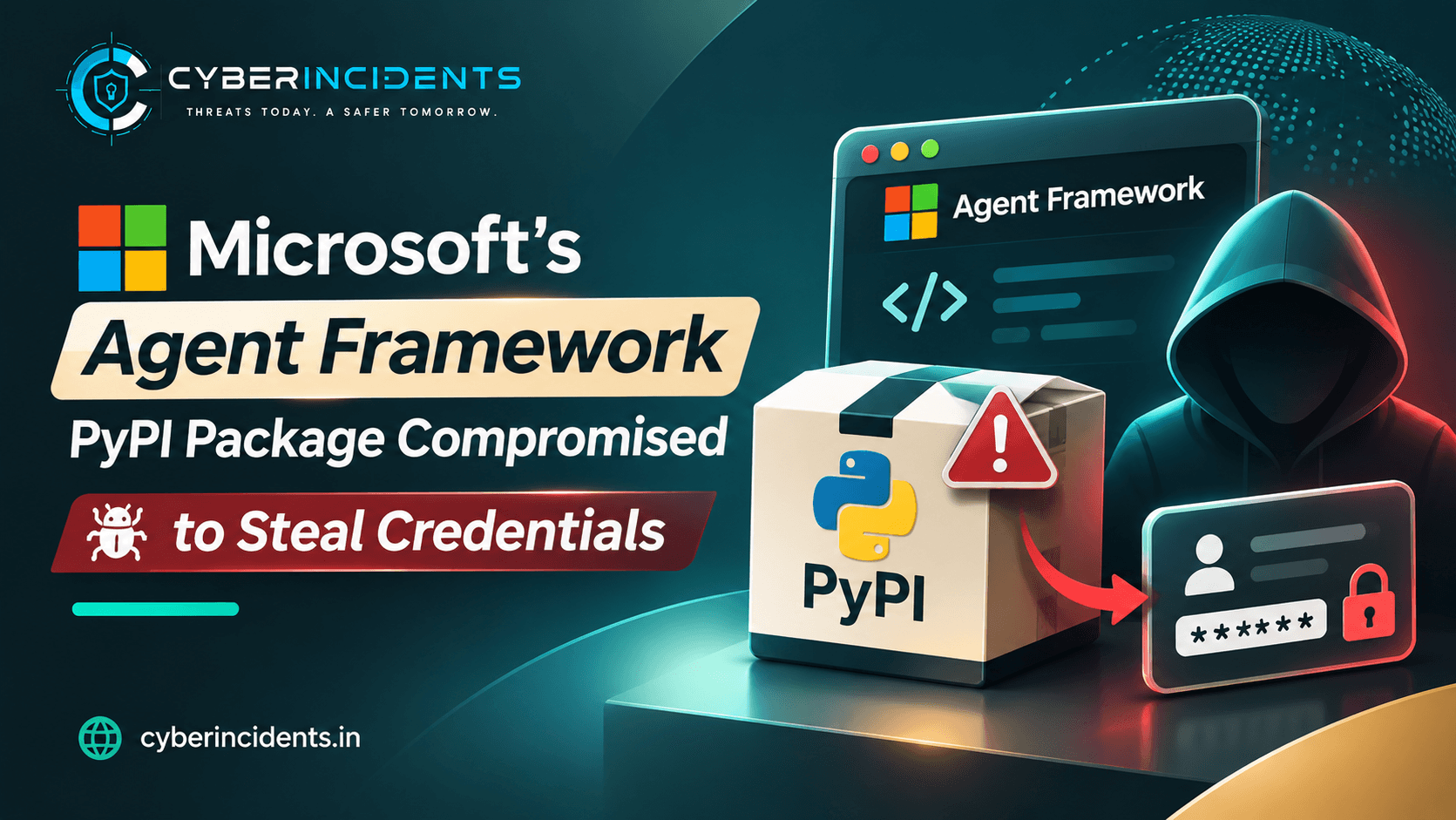
Microsoft’s official Agent Framework Python package on PyPI was compromised on November 17, 2026, when attackers published two malicious releases: 1.26.1 and 1.26.2.
Both versions contained credential-stealing malware that executed automatically during Python startup, even if developers did not explicitly import the Agent Framework package. The malware targeted sensitive information from environment variables, local configuration files, and accessible running processes.
The stolen information could include credentials and tokens associated with Azure, AWS, GitHub, Docker, Hugging Face, OpenAI, and other services. The malware also attempted to obtain Azure managed identity access tokens and Azure DevOps OIDC tokens.
The malicious versions were configured to exfiltrate collected information to an attacker-controlled webhook endpoint. Developers who installed either version should treat the affected environment and accessible credentials as potentially compromised.
Key details:
Affected package: agent-framework
Malicious versions: 1.26.1 and 1.26.2
Publication date: November 17, 2026
Malicious execution: Python startup through .pth files
Exfiltration endpoint: webhook[.]site/d381fd80-ec62-42ad-8f5c-d1b15103c9bb
Recommended safe version: 1.26.0
Attackers compromised Microsoft's official agent-framework package on the Python Package Index (PyPI), publishing two malicious versions designed to steal developer credentials and cloud access tokens.
Microsoft Agent Framework is an open-source toolkit used to build AI agents and coordinate them through workflows. The package reportedly receives approximately 200,000 monthly downloads, increasing the potential exposure of the supply-chain attack.
The malicious releases were published on November 17, 2026. Although both versions retained their dependency on the legitimate agent-framework-core 1.26.0 package and allowed the framework to function normally, they introduced additional malicious components that executed in the background.
The attack used Python .pth files to achieve automatic code execution during Python interpreter startup.
Python processes .pth files in applicable site-packages directories when initializing the interpreter. These files can contain executable import statements, allowing code to run without the application explicitly importing the affected package.
The attackers used two different execution mechanisms across the malicious releases:
Version 1.26.1
Introduced agent_framework_meta.pth.
The file triggered execution of the credential stealer located in agent_framework_meta/_telemetry.py.
The malicious code could execute during normal Python startup, independently of whether the Agent Framework package was imported.
Version 1.26.2
Restored the original package initializer.
Moved the malicious execution mechanism into af_runtime_diag.pth.
The associated malicious Python code was located in af_runtime_diag.py.
Expanded collection capabilities to include GitHub Actions OIDC token requests and searches of GitHub runner directories.
This approach made the compromise particularly dangerous because developers could execute Python-based tools or scripts without intentionally using the compromised framework.
The credential stealer searched multiple locations for sensitive information accessible to the compromised process.
The targeted information included:
Environment variables containing API keys, access tokens, and credentials.
Local configuration files containing cloud and developer secrets.
Credentials accessible through other running processes, subject to process permissions.
Azure managed identity access tokens.
Azure DevOps OIDC tokens.
GitHub Actions OIDC tokens and information stored in GitHub runner directories.
The malware targeted credentials associated with several services:
| Platform / Service | Potentially exposed information |
|---|---|
| Microsoft Azure | Cloud credentials and managed identity tokens |
| AWS | Cloud access credentials |
| GitHub | Tokens and CI/CD-related credentials |
| Docker | Registry and authentication credentials |
| Hugging Face | Access tokens |
| OpenAI | API keys |
| Azure DevOps | OIDC tokens |
The actual exposure depends on which credentials were available to the affected environment and the permissions of the compromised process.
Both malicious versions sent collected information to the same attacker-controlled endpoint:
https://webhook[.]site/d381fd80-ec62-42ad-8f5c-d1b15103c9bb
The endpoint should be treated as a high-priority investigation indicator.
Investigators should examine outbound network telemetry to determine whether affected systems attempted to communicate with this destination. Importantly, an attempted connection does not necessarily establish successful data exfiltration.
The attacker published version 1.26.1, which was subsequently quarantined by PyPI. Approximately 2.5 minutes later, another malicious version, 1.26.2, was published. The second release was quarantined roughly eight minutes afterward.
The publication of the second malicious release suggests that the attacker retained publishing access after the first release was quarantined.
At the time of the report, the method used to compromise Microsoft's PyPI publishing access remained unclear. Microsoft had been contacted for further information, but no response had been received by publication time.
This incident demonstrates how a compromised dependency can expose credentials across an entire development environment rather than only affecting the application that directly uses the package.
The automatic execution through .pth files increases the risk because:
Developers may not explicitly import the compromised package.
Other Python applications running in the same environment may trigger the malicious code.
CI/CD runners may expose cloud credentials, deployment tokens, and repository secrets.
Stolen credentials may provide access to additional cloud infrastructure and development resources.
For organizations using AI development frameworks, this incident also highlights the importance of monitoring Python dependencies and protecting secrets available to development and automation environments.
| Indicator | Type | Description |
|---|---|---|
webhook[.]site/d381fd80-ec62-42ad-8f5c-d1b15103c9bb | URL | Attacker-controlled credential exfiltration endpoint |
| Indicator | Type | Description |
|---|---|---|
agent-framework | PyPI package | Compromised package |
1.26.1 | Malicious version | First compromised release |
1.26.2 | Malicious version | Second compromised release |
agent_framework_meta.pth | File | Startup execution mechanism in version 1.26.1 |
agent_framework_meta/_telemetry.py | File | Malicious credential-stealing code in version 1.26.1 |
af_runtime_diag.pth | File | Startup execution mechanism in version 1.26.2 |
af_runtime_diag.py | File | Malicious code in version 1.26.2 |
Important: The package and file indicators should be used to identify potentially affected environments. The presence of a malicious package version does not, by itself, prove that credentials were successfully exfiltrated.
Security teams should prioritize identifying affected developer workstations, build servers, CI/CD runners, and cloud development environments.
Review Python package inventories, dependency manifests, lockfiles, build logs, and package installation records for the compromised versions.
Example commands:
pip show agent-framework
pip freeze | grep -i agent-framework
Check dependency files and lockfiles for:
agent-framework==1.26.1
agent-framework==1.26.2
Also review historical package installation records to identify environments that previously installed either malicious release.
.pth filesInspect Python site-packages directories for the following files:
agent_framework_meta.pth
af_runtime_diag.pth
Search for their associated directories and Python modules:
agent_framework_meta/
af_runtime_diag.py
Example Linux search:
find / -type f \( \
  -name "agent_framework_meta.pth" -o \
  -name "af_runtime_diag.pth" -o \
  -name "af_runtime_diag.py" \
\) 2>/dev/null
The absence of these files does not conclusively establish that an environment was never compromised, particularly if files were removed after execution.
Search proxy, firewall, DNS, EDR, and network telemetry for connections to:
webhook.siteWhere URL-level telemetry is available, search for the full path:
/d381fd80-ec62-42ad-8f5c-d1b15103c9bbDetermine:
Whether the connection was attempted or completed.
The source host, process, and user.
The connection timestamp and destination.
Whether any response or outbound data transfer was recorded.
Whether the host communicated with the endpoint more than once.
A blocked request should not be classified as confirmed exfiltration. Conversely, a successful connection alone does not establish exactly what data was transferred.
Review the affected environment for accessible secrets and credentials, including:
Azure credentials and managed identity tokens.
AWS access keys and temporary credentials.
GitHub personal access tokens and Actions-related tokens.
Azure DevOps credentials and OIDC tokens.
Docker registry credentials.
Hugging Face and OpenAI API keys.
Review cloud audit logs and identity activity for unusual authentication, token usage, API calls, resource access, and changes occurring after the suspected compromise time.
Prioritize GitHub Actions runners and other automated build environments where the malicious package may have accessed deployment secrets.
Review:
Workflow execution history.
Runner activity and environment variables.
OIDC token issuance and usage.
Repository and organization audit logs.
Unexpected deployments or changes to workflows.
Cloud API activity originating from unfamiliar identities or locations.
Use EDR telemetry to identify Python processes running during the affected period and investigate unusual child processes, file activity, network connections, or access to sensitive configuration files.
Correlate package installation timestamps, Python startup events, outbound connections, and subsequent credential usage to establish the likely attack timeline.
Organizations and developers who installed either malicious version should treat the environment as potentially compromised.
Immediate response actions:
Isolate affected environments: Restrict network access to compromised workstations, build servers, and CI/CD runners while preserving relevant forensic evidence.
Avoid executing Python or pip: Do not continue running Python applications or package-management commands in the affected environment until it has been secured.
Identify affected installations: Determine whether versions 1.26.1 or 1.26.2 were installed, including historical installations.
Rebuild from a known-clean environment: Recreate affected environments using trusted installation sources and the safe 1.26.0 release identified in the report.
Rotate potentially exposed credentials: Revoke and replace accessible Azure, AWS, GitHub, Azure DevOps, Docker, Hugging Face, OpenAI, and other secrets.
Review cloud and identity logs: Look for unauthorized authentication, token use, API calls, resource access, and unexpected configuration changes.
Investigate CI/CD runners: Review workflow history, runner directories, deployment credentials, and OIDC activity.
Preserve forensic evidence: Retain package metadata, suspicious files, endpoint telemetry, network logs, and relevant timestamps before rebuilding systems.
Credential rotation should not be limited to secrets directly associated with Agent Framework. Any credential accessible to the compromised Python process should be considered potentially exposed until the investigation establishes otherwise.
Continue reading
Cyber News
Vishing
Cyber News
Identity Theft and Data Extortion
Cyber News
RCE vulnerability
3 entries, most recent posts.
Vishing
Identity Theft and Data Extortion
AI-Assisted Autonomous Intrusions