Cyber News
Stolen UpdraftCentral Keys Used to Backdoor WordPress Websites
Category: Supply Chain Attacks Secondary Categories: WordPress Security, Credential Attacks, Web Application Attacks
10 min read
Category: Web Attacks Secondary Categories: Phishing & Social Engineering, Browser Security, Malware Delivery

Google is rolling out new Chrome safeguards to help protect users against ClickFix attacks when Enhanced Protection is enabled. These attacks use fake CAPTCHA challenges, browser errors, and verification prompts to trick victims into copying and executing malicious commands on their own devices.
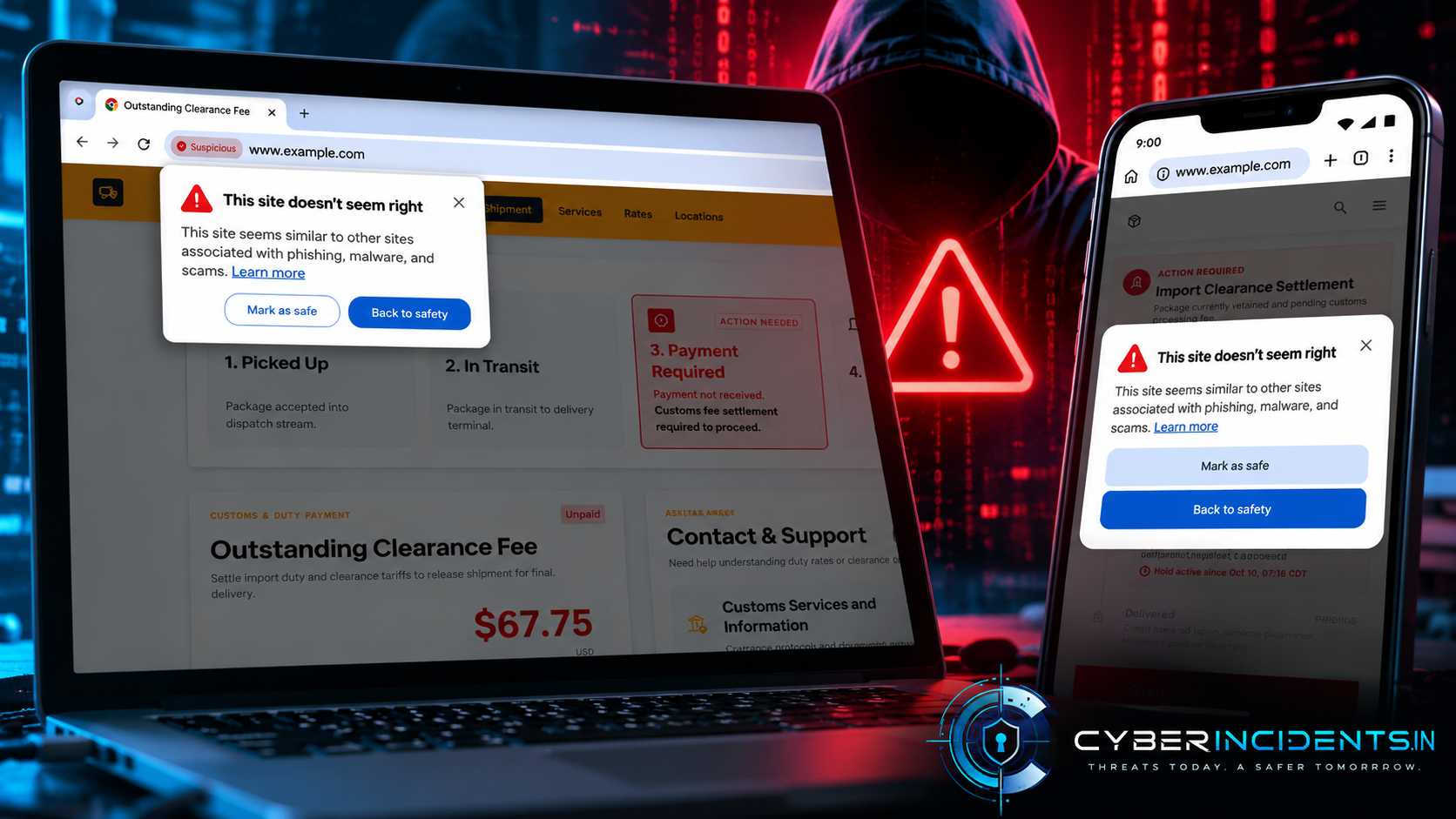
Chrome can now analyze suspicious copied commands through Safe Browsing and warn users when a command is identified as dangerous. Google is also expanding scam detection using on-device language models to identify deceptive websites, including fake antivirus and browser-update scams.
Separately, Apple is introducing Safari and WebKit protections against identity-resolution techniques that link email addresses to persistent tracking identifiers.
ClickFix is a social-engineering technique that tricks users into executing malicious commands under the pretext of fixing a technical issue or completing a verification process.
Attackers may compromise legitimate websites, distribute malicious advertisements, or redirect users to phishing pages. These pages imitate trusted services such as Cloudflare or Google reCAPTCHA and instruct victims to copy and paste commands into Windows Run, Command Prompt, PowerShell, or macOS Terminal.
Once executed, the commands can initiate a multi-stage infection chain that downloads and launches malware, including information stealers and remote-access trojans.
Attackers frequently abuse legitimate operating-system utilities such as PowerShell and cmd.exe to retrieve additional payloads and blend malicious activity with normal system operations. This approach is associated with living-off-the-land techniques.
Google is introducing additional protections for Chrome users who have Enhanced Protection enabled.
When Chrome detects a potentially suspicious command being copied, it removes personal information from the clipboard payload and sends it to Safe Browsing for analysis. If the command is determined to be dangerous, Chrome displays a warning intended to prevent the user from executing it.
This approach addresses a key weakness in traditional browser security: ClickFix shifts the execution process from browser downloads to commands manually launched by the victim, potentially bypassing conventional download protections.
Google is also expanding its Safe Browsing warning classifications:
Suspicious sites: Websites displaying deceptive patterns commonly associated with malicious activity.
Dangerous sites: Websites known to be malicious and considered to pose a high risk to users.
Additionally, Chrome is building on on-device large language model (LLM) techniques to detect technical-support scams, fake antivirus alerts, and fraudulent browser-update pages.
Google states that page content is analyzed only when high-confidence scam indicators are detected. When content is sent off-device, it is processed ephemerally and is not logged, retained, or used to train models.
Google is also introducing Financial Services Verification in the United States and Canada. The initiative requires certain financial advertisers to demonstrate authorization from relevant regulators or recognized registries before running advertisements.
The objective is to reduce financial brand impersonation and prevent unauthorized providers from using advertising platforms to reach potential victims. Google also described cooperation with banking associations in both countries to verify authorized financial institutions.
Separately, Apple has announced privacy protections in Safari and WebKit designed to block identity-resolution infrastructure.
Identity resolution can involve third parties collecting email addresses during website logins or newsletter sign-ups, converting them into persistent tracking identifiers, and returning those identifiers to websites.
These identifiers can help third parties link browsing activity with personal information such as names, addresses, phone numbers, and IP addresses. Logging out or unsubscribing may not remove identifiers already stored by third parties.
Apple says Safari blocks network access to identified identity-resolution infrastructure at the domain level, helping prevent email addresses from being transmitted to those services.
Although this development is separate from Chrome's ClickFix protections, both changes address risks arising from deceptive or potentially harmful web infrastructure.
ClickFix attacks can shift execution from the browser to operating-system utilities. SOC teams should therefore investigate suspicious process activity rather than relying exclusively on malicious URL or browser-download detections.
Relevant telemetry: Microsoft Defender for Endpoint, Sysmon Event ID 1, Windows Security Event ID 4688, and PowerShell logs.
Look for unusual PowerShell execution involving encoded commands, remote content retrieval, or unexpected script launches.
Example Microsoft Defender XDR query:
DeviceProcessEvents
| where Timestamp > ago(7d)
| where FileName in~ ("powershell.exe", "pwsh.exe")
| where ProcessCommandLine has_any (
    "DownloadString",
    "DownloadFile",
    "Invoke-WebRequest",
    "EncodedCommand",
    "FromBase64String"
)
| project Timestamp, DeviceName, AccountName,
          InitiatingProcessFileName, FileName,
          ProcessCommandLine
| order by Timestamp desc
Investigate the parent process, user account, command-line arguments, network destinations, and any files created following execution. These patterns can also occur in legitimate administration scripts.
Review unexpected executions of cmd.exe, PowerShell, Windows Script Host, and other scripting utilities.
Prioritize activity where:
A script interpreter launches unexpectedly after browser activity.
The process retrieves content from an unfamiliar external destination.
Executables or scripts appear in temporary or user-writable directories.
New scheduled tasks, startup entries, or other persistence mechanisms appear shortly afterward.
Correlate endpoint telemetry with web-proxy, DNS, and network connection logs to establish the execution sequence.
If suspicious command execution is confirmed, examine subsequent processes, outbound connections, credential-access alerts, security-setting changes, and persistence mechanisms.
A suspicious command followed by a payload download and unexpected persistence should be escalated for incident investigation. No single process name or command-line string proves that a ClickFix attack occurred.
Enable Chrome Enhanced Protection and keep the browser updated.
Never execute commands supplied by websites to complete CAPTCHA challenges or resolve unexpected browser errors.
Be cautious of pages instructing you to open PowerShell, Command Prompt, Windows Run, or macOS Terminal.
Access services through their known, trusted addresses rather than links in unexpected advertisements or messages.
If you have executed a suspicious command, report it to your security team immediately and avoid entering sensitive credentials on the potentially compromised device until it has been assessed.
Deploy browser and operating-system updates through centralized management.
Collect process-creation, script-execution, DNS, proxy, and endpoint network telemetry.
Detect suspicious command interpreters, encoded commands, remote content retrieval, and unusual process chains.
Apply least-privilege access and restrict unnecessary scripting capabilities.
Train employees to recognize fake CAPTCHA, technical-support, and browser-update scams.
Investigate endpoint activity when users report executing suspicious commands.
Maintain layered endpoint protection rather than relying solely on browser warnings.
Google Chrome's new ClickFix safeguards aim to interrupt attacks before users execute malicious commands. However, browser warnings cannot eliminate the risk of social engineering or guarantee detection of every malicious command.
Organizations should combine browser protections with endpoint monitoring, behavioural threat hunting, and user awareness. Early detection of suspicious script execution and its subsequent activity remains essential to identifying attacks that bypass browser safeguards.
Continue reading
Cyber News
Category: Supply Chain Attacks Secondary Categories: WordPress Security, Credential Attacks, Web Application Attacks
Cyber News
Category: Cloud Attacks Secondary Categories: Supply Chain Attacks, Identity & Credential Attacks
Cyber News
Cybercriminals are impersonating popular AI platforms such as ChatGPT, Claude, Google Gemini, and GitHub Copilot to trick employees into executing malicious commands, downloading m...
3 entries, most recent posts.
Category: Supply Chain Attacks Secondary Categories: WordPress Security, Credential Attacks, Web Application Attacks
Category: Cloud Attacks Secondary Categories: Supply Chain Attacks, Identity & Credential Attacks
Cybercriminals are impersonating popular AI platforms such as ChatGPT, Claude, Google Gemini, and GitHub Copilot to trick employees into executing mal...