Incident Investigation
Browser History vs Authentication Log Mismatch Investigation: Detecting Hidden Account Compromise
SOC Investigation
10 min read
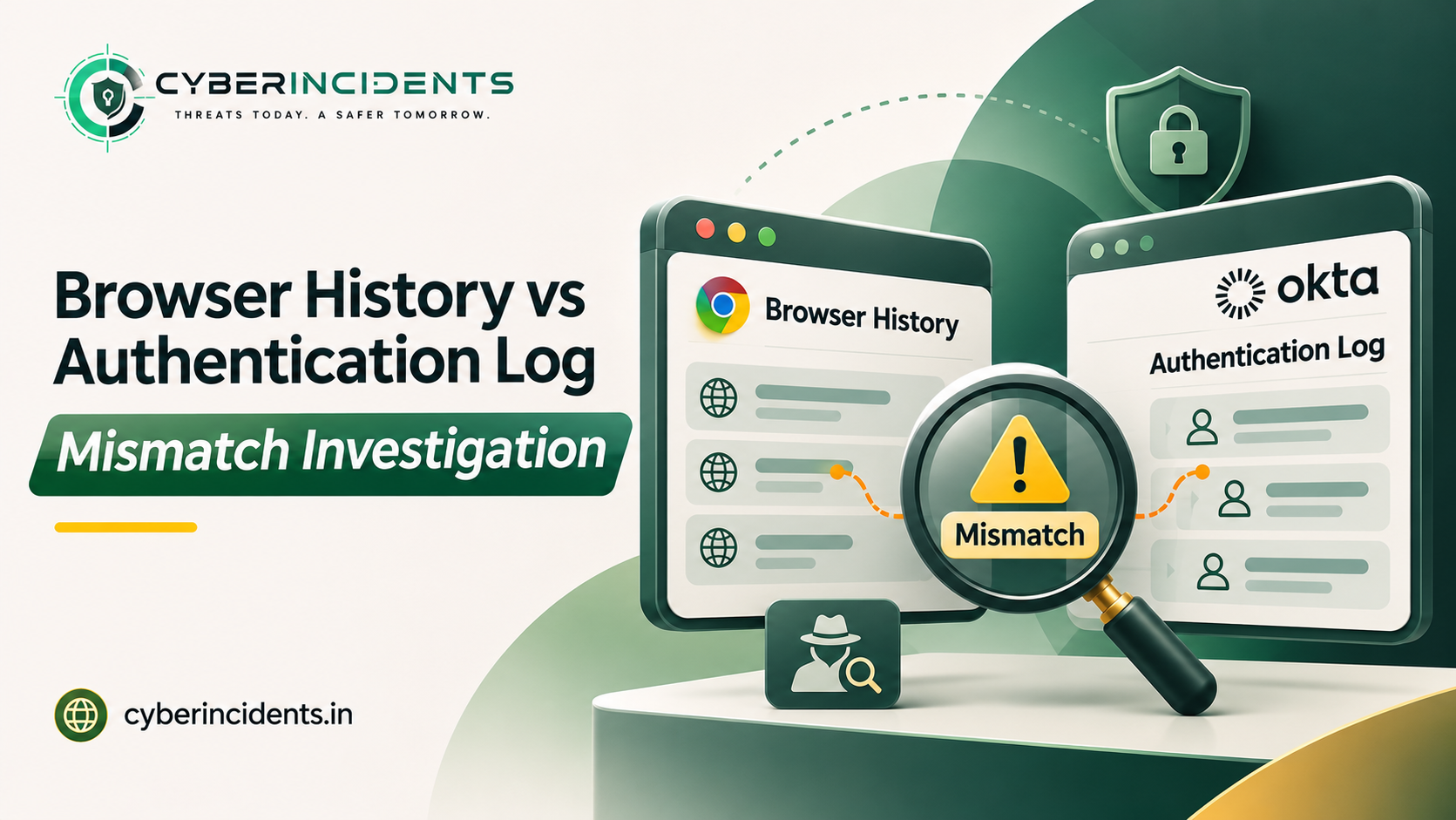

Identity Compromise / Session Hijacking

Session cookie theft is an account compromise technique in which an attacker obtains a victim's authenticated session cookie and reuses it to access an application without performing a conventional username-and-password login.
Unlike traditional credential theft, session hijacking can allow an attacker to bypass the normal authentication process, including MFA challenges that were already satisfied when the original session was established.
This creates a significant detection challenge for SOC teams: the attacker may access corporate applications using an existing authenticated session, while identity logs show no corresponding new authentication event.
A successful login from an unusual IP address is not always present. Instead, analysts may observe changes in session usage, unfamiliar device characteristics, unusual application activity, or access from a different network location.
This investigation demonstrates how SOC analysts can correlate identity-provider logs, application audit events, endpoint telemetry, browser activity, and network connections to identify possible session-cookie theft.
Key investigation objectives:
Identify suspicious reuse of authenticated sessions.
Detect session activity from unexpected devices, IP addresses, or locations.
Correlate identity-provider and application-level events.
Determine whether the activity represents legitimate session migration or account compromise.
Establish whether the attacker accessed sensitive resources.
Contain the compromised session and investigate potential persistence.
When a user successfully authenticates to a web application, the application or identity provider may issue a session cookie to maintain the authenticated state.
The browser stores this cookie and presents it in subsequent requests. This allows the user to navigate between application pages without repeatedly entering credentials.
An attacker who obtains a valid session cookie may be able to reuse it from another browser or system.
The attack can therefore occur without the attacker knowing the victim's password.
A simplified authentication flow:
The user authenticates to the application.
The identity provider validates credentials and completes MFA, if required.
The application establishes an authenticated session.
A session cookie is issued to the browser.
The browser sends the cookie with subsequent application requests.
An attacker who steals the cookie may attempt to reuse the authenticated session.
LEGITIMATE USER
Authentication + MFA
Application issues session cookie
Browser stores authenticated session
ATTACKER OBTAINS SESSION COOKIE
Reuses authenticated session
Application accepts session
Unauthorized account access
The critical distinction is that the attacker may not need to authenticate again. However, whether a stolen cookie remains usable depends on the application's session design, cookie properties, token binding, expiration, revocation, and additional risk controls.
### 2.2 Why conventional authentication monitoring may miss this activity
Traditional identity detections often focus on:
- Multiple failed login attempts.
- Successful authentication from unfamiliar IP addresses.
- Impossible travel.
- MFA failures or unexpected MFA approvals.
- Password spraying.
- Unusual authentication locations.
These detections remain important, but session-cookie theft can produce a different pattern.
Consider the following example:
| Time (UTC) | Activity | Source |
|---|---|---|
| 09:00 | User successfully authenticates with MFA | Identity provider |
| 09:02 | Application issues authenticated session | Application |
| 09:15 | User accesses corporate resources | Application |
| 09:27 | Session is used from an unfamiliar IP | Application |
| 09:29 | Sensitive records accessed | Application |
| 09:35 | No corresponding new authentication event | Identity provider |
The suspicious activity occurs after the original authentication.
A SOC analyst examining only successful authentication events may see nothing unusual because the identity provider recorded a legitimate initial login.
**Important:** A missing new authentication event does not prove session hijacking. Some applications maintain their own sessions, refresh tokens, or authentication state independently of the identity provider. The application audit trail must be examined.
### 2.3 Common ways session cookies become compromised
Session cookies may be exposed through several attack paths.
**A. Infostealer malware**
Malware running on a user's endpoint may collect browser-stored credentials, cookies, and other authentication material.
Investigation evidence:
- Suspicious browser database access.
- Unexpected processes accessing browser profile directories.
- Infostealer detections.
- Unusual outbound connections.
- Browser credential-store access.
**B. Malicious browser extensions**
A malicious or compromised browser extension may access browser information or interact with web sessions, depending on its permissions and implementation.
Investigation evidence:
- Recently installed extensions.
- Extensions with broad permissions.
- Unexpected extension updates.
- Browser policy changes.
- Suspicious extension-related network activity.
**C. Adversary-in-the-middle phishing**
An attacker may use a phishing proxy to intercept authentication traffic and capture session information after a victim completes authentication.
Investigation evidence:
- Authentication through suspicious phishing infrastructure.
- Unexpected reverse-proxy or phishing-domain connections.
- Unusual authentication context.
- Subsequent session usage from a different environment.
**D. Endpoint compromise**
An attacker with access to a workstation may attempt to extract session material from browser processes, memory, or local storage.
Investigation evidence:
- Suspicious process access to browser processes.
- Unusual memory access.
- Credential-access alerts.
- Unexpected execution of scripts or binaries.
### 2.4 Incident investigation scenario
**Scenario: Suspicious reuse of an authenticated Microsoft 365 session**
A SOC team receives an alert indicating that an employee's Microsoft 365 account accessed sensitive resources from an unfamiliar IP address.
Initial identity-provider records show that the employee authenticated successfully with MFA earlier in the day.
However, the application audit logs show additional activity from a different network location without an obvious corresponding interactive authentication event.
The SOC team needs to determine whether:
- The employee changed networks or devices.
- A legitimate session was reused from another browser.
- An attacker obtained and replayed the authenticated session.
- The activity represents a compromised endpoint or stolen authentication material.
**Initial incident information**
| Field | Observation |
|---|---|
| User | employee@company.com |
| Original IP | 203.0.113.25 |
| Suspicious IP | 198.51.100.80 |
| Original device | Employee workstation |
| Application | Microsoft 365 |
| Initial authentication | Successful with MFA |
| Suspicious activity | Application access from unfamiliar network |
| New interactive login | Not observed in the reviewed identity logs |
*The IP addresses above are documentation-only examples and are not real malicious indicators.*
The initial observations are suspicious but insufficient to confirm cookie theft. The investigation must establish whether the same authenticated session was reused and whether the activity was unauthorized.
### 2.5 Investigation Phase 1: Validate the original authentication
Start by examining the original authentication event.
For Microsoft Entra ID, review:
- Sign-in timestamp.
- User principal name.
- Source IP address.
- Application and resource.
- Authentication requirement.
- Authentication details and MFA result.
- Device ID and device compliance.
- User agent.
- Conditional Access evaluation.
- Session and correlation identifiers, where available.
Determine whether the original authentication was legitimate and whether MFA was completed successfully.
A successful MFA event only establishes that the recorded authentication flow satisfied the relevant requirement. It does not prove that subsequent session activity was performed by the same person.
### 2.6 Investigation Phase 2: Correlate session activity
This is the most important stage of the investigation.
Examine application audit logs and available session metadata to identify whether the suspicious requests are associated with an existing authenticated session.
Look for:
- Same application session identifier across different source IPs.
- Changes in user agent or device characteristics.
- Access from an unfamiliar ASN or hosting provider.
- Requests occurring outside the user's normal activity pattern.
- Sensitive operations performed after the suspicious network transition.
- Session activity continuing despite the absence of a fresh interactive login.
Do not assume that every IP change indicates session theft. Mobile networks, VPNs, corporate proxies, and network address translation can legitimately change the apparent source IP.
**Evidence strength matters:**
- Same session identifier across unrelated devices and networks: potentially strong evidence, depending on session architecture.
- Unusual IP with unchanged user agent: suspicious but inconclusive.
- New IP and new user agent followed by sensitive activity: stronger suspicion.
- Confirmed unauthorized activity combined with endpoint evidence of cookie extraction: substantially stronger evidence of compromise.
### 2.7 Investigation Phase 3: Examine endpoint telemetry
If session theft is suspected, investigate the user's endpoint.
Prioritize:
- Browser processes and their parent processes.
- Browser profile and cookie database access.
- Recently installed browser extensions.
- Suspicious executable or script activity.
- Credential-stealing malware detections.
- Unexpected PowerShell or command-line activity.
- Outbound connections to suspicious infrastructure.
Useful Windows telemetry includes:
| Event / Source | Investigation purpose |
|---|---|
| Sysmon Event ID 1 | Process creation |
| Sysmon Event ID 3 | Network connection |
| Sysmon Event ID 7 | Image/module loading, if configured |
| Sysmon Event ID 10 | Process access |
| Sysmon Event ID 11 | File creation |
| EDR process telemetry | Browser access and suspicious process relationships |
| Browser extension inventory | Unexpected or malicious extensions |
Sysmon Event ID 10 can help identify suspicious process access, but it does not independently prove cookie extraction. Investigators need process details, access rights, command lines, file activity, and surrounding telemetry.
### 2.8 Investigation Phase 4: Investigate post-compromise activity
After identifying suspicious session usage, determine what the attacker accessed.
For Microsoft 365, review relevant audit records for:
- Mailbox access.
- Email searches and downloads.
- Inbox rule creation or modification.
- Mail forwarding configuration changes.
- SharePoint and OneDrive file access.
- Unusual file downloads.
- OAuth application consent or permission changes.
- Changes to security settings.
For other SaaS applications, examine equivalent audit events, particularly data exports, administrative actions, account changes, and access to sensitive resources.
The objective is to establish the scope and impact of the suspected account compromise, not simply confirm that an unusual IP address appeared.
### 2.9 Investigation Phase 5: Establish the incident verdict
Use the collected evidence to classify the incident.
| Finding | Assessment |
|---|---|
| User confirms activity and device/network change is verified | Likely legitimate |
| Unfamiliar IP without supporting malicious evidence | Suspicious; requires further validation |
| Session reuse across unrelated environments with unauthorized activity | Likely session compromise |
| Cookie extraction evidence plus unauthorized session usage | Strong evidence of session hijacking |
| Confirmed unauthorized data access or administrative activity | Confirmed account compromise |
The final verdict should distinguish between suspected cookie theft, confirmed session misuse, and confirmed data compromise.
These are separate conclusions and should not be treated as interchangeable.
## 3. Hunting Strategy
### 3.1 Splunk: Identify the same user accessing applications from multiple IPs
The following example assumes normalized identity events in an index named `identity_logs`. Adjust the field names and event filters to match your environment.
```spl
index=identity_logs
| stats
earliest(_time) as first_seen
latest(_time) as last_seen
values(src_ip) as source_ips
values(user_agent) as user_agents
values(device_id) as devices
values(app) as applications
count
by user
| where mvcount(source_ips) > 1
| convert ctime(first_seen) ctime(last_seen)
Purpose: Identifies users accessing applications from multiple IP addresses during the selected time range.
Limitation: Multiple IP addresses alone do not establish session hijacking. Compare timestamps, devices, user agents, and application session identifiers.
Use this query only when application logs expose a reliable session identifier.
index=application_logs
| stats
    dc(src_ip) as unique_ips
    values(src_ip) as source_ips
    values(user_agent) as user_agents
    earliest(_time) as first_seen
    latest(_time) as last_seen
    count
    by user session_id user
| where unique_ips > 1
| convert ctime(first_seen) ctime(last_seen)
Purpose: Identifies application sessions observed from multiple source IPs.
Investigation note: Session identifiers must be handled carefully and should not be unnecessarily exposed in SIEM dashboards or investigation reports. If the application rotates session IDs or uses multiple session cookies, this query may need adaptation.
index=application_logs
| eval activity_time=_time
| join type=left user [
    search index=identity_logs
    | stats latest(_time) as last_auth_time by user
]
| eval minutes_since_auth=round((activity_time-last_auth_time)/60,2)
| where isnull(last_auth_time) OR minutes_since_auth > 60
| table _time user src_ip app action session_id last_auth_time minutes_since_auth
Purpose: Highlights application activity where the latest recorded authentication is more than 60 minutes earlier or is missing from the searched identity data.
Important limitation: This is a triage query, not a session-theft detector. SSO sessions can remain valid for much longer than an hour, and the query does not account for all token refreshes, authentication services, or application-specific session behaviour. The time threshold should be tuned to the environment.
Assuming the SigninLogs table is available:
SigninLogs
| where TimeGenerated > ago(24h)
| summarize
    IPAddresses = make_set(IPAddress),
    Applications = make_set(AppDisplayName),
    Devices = make_set(DeviceDetail.deviceId),
    UserAgents = make_set(UserAgent),
    SignInCount = count()
    by UserPrincipalName
| where array_length(IPAddresses) > 1
Purpose: Identifies users with multiple source IP addresses in the selected period.
This query identifies unusual authentication patterns, not session-cookie replay. An attacker reusing an application session may not generate a new SigninLogs event.
For Microsoft 365 Unified Audit Log data ingested into OfficeActivity:
OfficeActivity
| where TimeGenerated > ago(24h)
| summarize
    SourceIPs = make_set(ClientIP),
    Operations = make_set(Operation),
    Applications = make_set(OfficeWorkload),
    ActivityCount = count()
    by UserId
| where array_length(SourceIPs) > 1
Purpose: Identifies accounts associated with activity from multiple source IPs.
Investigate the individual events, operation names, user agents where available, and corresponding identity records. Not every audit operation contains a session identifier or complete device information.
Consider creating correlation detections for combinations of:
An existing session appearing from a new and unusual network.
A sudden device or browser fingerprint change.
Sensitive application activity from the new environment.
An unusual sequence of mailbox, file, or administrative operations.
Endpoint evidence of suspicious browser access or credential theft.
A confirmed malicious IP or infrastructure connection associated with the affected endpoint.
Avoid generating high-severity incidents solely because an account changes IP addresses. Stronger detections should combine session continuity, contextual anomalies, and evidence of unauthorized activity.
| Technique | ID | Relevance |
|---|---|---|
| Steal Web Session Cookie | T1539 | Theft and reuse of web session cookies |
| Steal Application Access Token | T1528 | Theft of application access tokens |
| Web Session Cookie | T1550.004 | Use of stolen web session cookies |
| Adversary-in-the-Middle | T1557 | Interception of authentication material |
| Credentials from Web Browsers | T1555.003 | Collection of credentials from browser stores |
| Browser Extensions | T1176 | Potential abuse of browser extensions |
| Account Access Removal | T1531 | Possible account disruption during follow-on activity |
ATT&CK mappings should reflect the evidence actually observed. For example, do not map browser credential theft merely because an account's session was reused.
If session-cookie theft is suspected or confirmed, prioritize containment of the affected identity and investigation of the compromised endpoint.
Immediate response:
Revoke active sessions and refresh tokens using the identity provider's supported revocation mechanisms.
Disable or restrict the affected account temporarily if unauthorized activity is ongoing.
Reset the user's password if credential exposure is also suspected.
Investigate and isolate the affected endpoint if malware or browser compromise is suspected.
Remove malicious browser extensions and investigate their installation source.
Review mailbox rules, OAuth grants, application permissions, and other persistence mechanisms.
Investigate access to sensitive files, mailboxes, cloud resources, and administrative functions.
Rotate any additional credentials that may have been exposed on the endpoint.
Long-term security improvements:
Enforce phishing-resistant MFA where supported.
Apply Conditional Access policies and device-compliance requirements.
Use session risk and continuous access evaluation capabilities where available.
Monitor unusual session and application activity.
Restrict untrusted browser extensions.
Deploy EDR monitoring for suspicious browser process access.
Protect session cookies using appropriate HttpOnly, Secure, and SameSite attributes where applicable.
Use short session lifetimes and appropriate reauthentication requirements for sensitive operations.
Ensure application session revocation is effective and tested.
Continue reading
Incident Investigation
SOC Investigation
Incident Investigation
Investigation
Incident Investigation
Homograph attacks

3 entries, most recent posts.
Vishing

Identity Theft and Data Extortion

AI-Assisted Autonomous Intrusions